Light
Everyday clarity
Cash flow, activity, accounts, and assets.
- Home
- Activity
- Personal
- Assets
- Insights
YOUR FINANCIAL OPERATING SYSTEM
Personal and joint finances for individuals, couples, and property owners. Add records manually or import a workbook to understand cash flow, accounts, and assets.
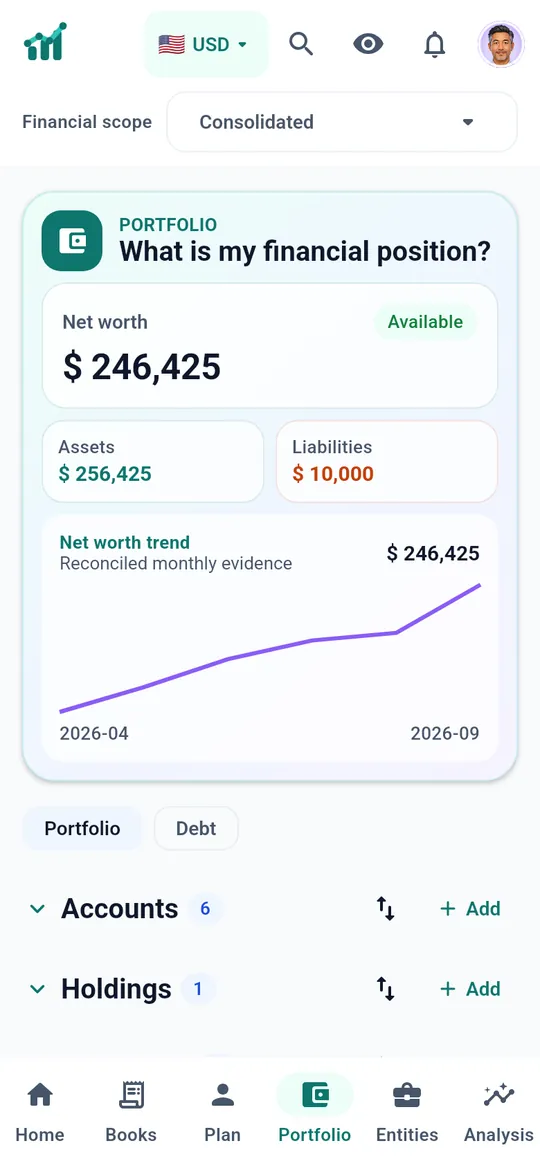
SAMPLE WORKSPACE Pro experience shown
SEE IT IN ACTION
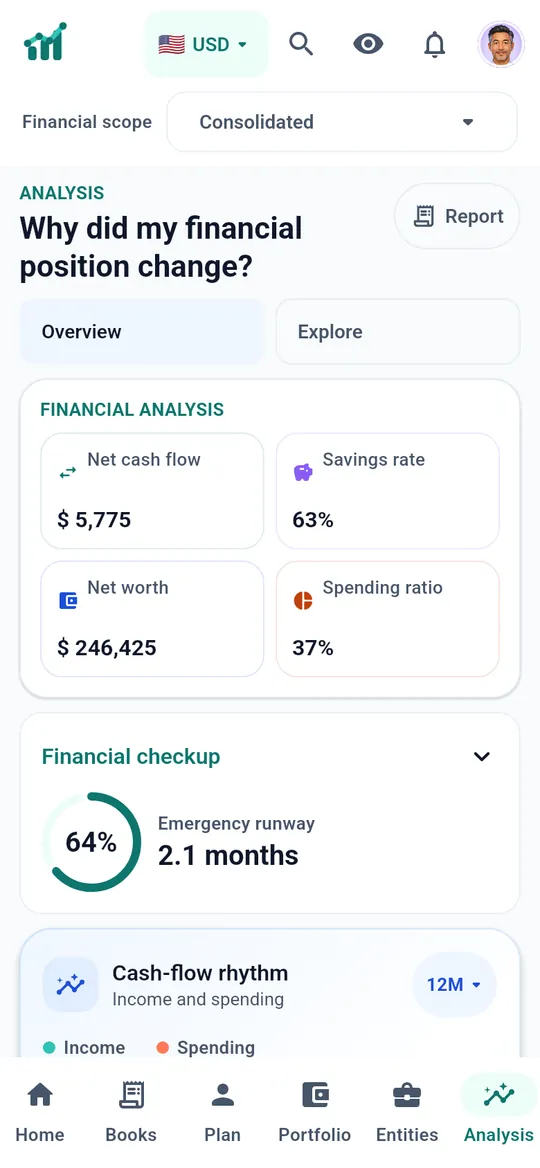
Real screens from the Financeia apps, shown with the fictional sample workspace. Choose a device and a screen, or let the tour play.
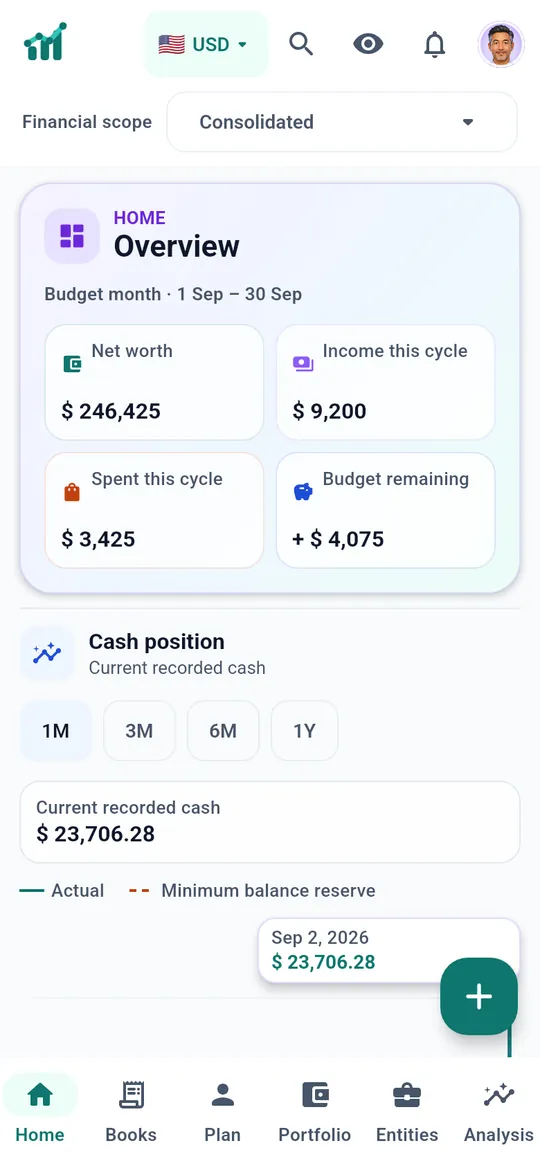
Net worth, cycle income, spending and budget together in one overview.
Screens captured from the current apps with the fictional sample workspace.
ONE PLATFORM · YOUR LEVEL OF DETAIL
Light and Pro use the same records. Switch in one click without moving or losing data.
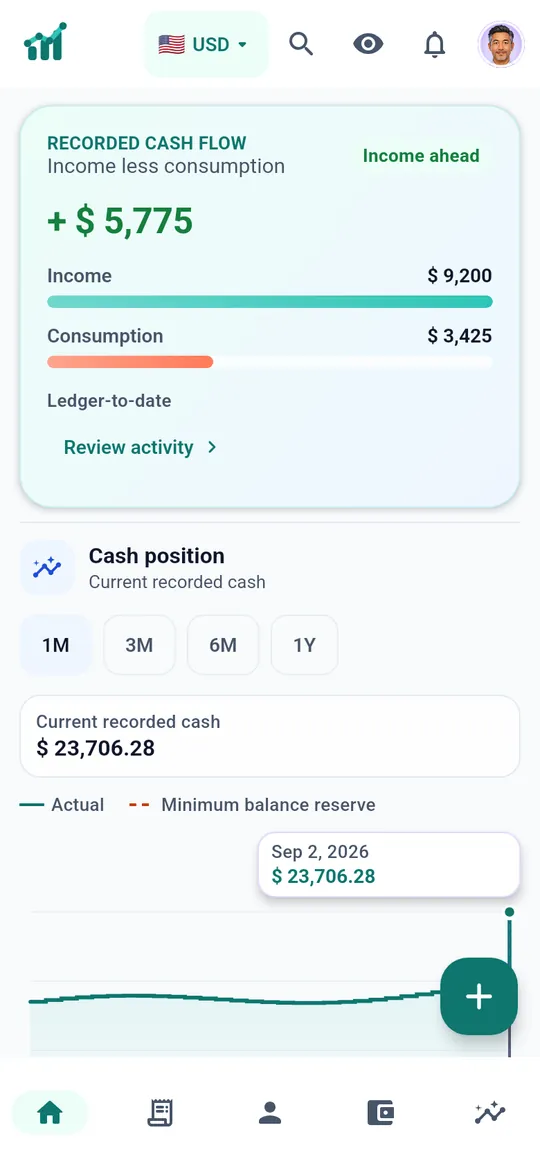
Light
Cash flow, activity, accounts, and assets.
Pro
Planning, reconciliation, portfolio context, and deeper reports. For complex financial lives
CASH FLOW
Income, consumption, and transfers stay distinct.
Record · review · explain
CAPITAL
Accounts, holdings, property, and manual valuations.
Own · value · review
LEDGER
Savings, purchases, and adjustments retain their accounting meaning.
Post · classify · trace
CURRENCY
Reporting views never erase the original currency.
Original · converted · dated
ONE CLEAN WORKFLOW
What happened?
A salary arrives: one event, posted to its account with its category and date.
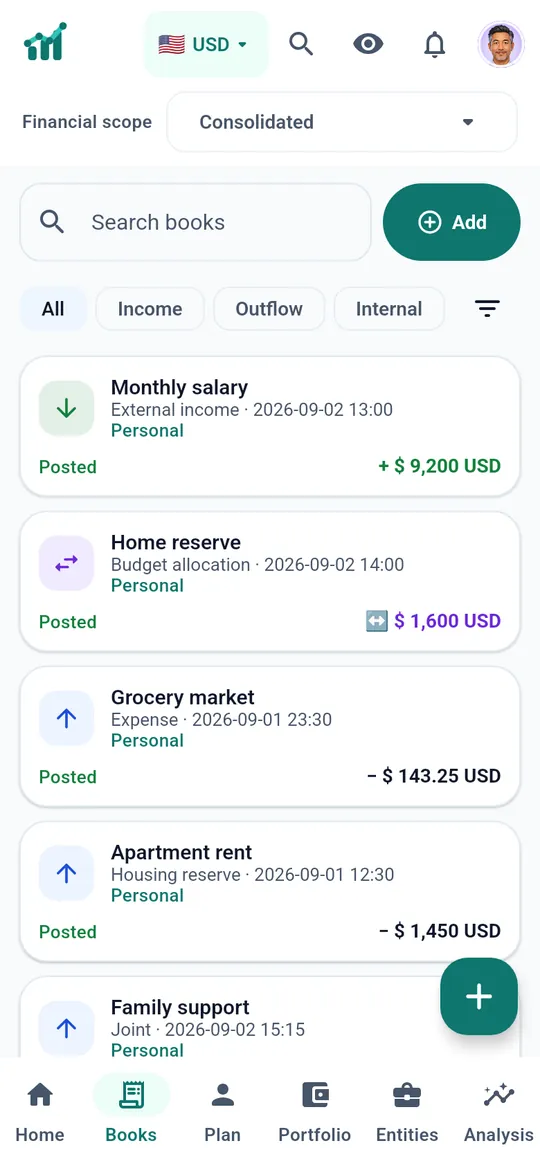
What changed?
Income less consumption updates at once. Transfers between your own accounts never count as income.
What matters next?
Analysis shows net cash flow, savings rate and the records behind each figure.
TRY IT HERE
These controls work on the fictional sample the same way the app does. Try them.
MULTI-CURRENCY
Pick a display currency. Totals convert with your saved rates, while each account keeps its original currency.
ENTITIES AND CAPITAL
Switch the financial scope. Business activity stays with its entity, and owner capital is kept apart from income and spending.
Owner capital moves inside the group, so consolidation does not count it twice.
BUDGET CYCLE
Start the budget month on payday, and choose whether weekends move it to the previous weekday.
PORTFOLIO
Hover or tap a slice. Holdings keep their real units, such as grams of gold or shares, and every value carries its date.
PRIVACY
One tap hides every amount across the app. Your records do not change.
LANGUAGES
The interface, guided tour and PDF reports follow the language you choose.
DECISION INTELLIGENCE
Date, currency, definition, and source stay close to every number.
| Component | Value |
|---|---|
| Income | $5,010.21 |
| Consumption | $1,865.21 |
| Net cash flow | $3,145 |
| Recorded events | 5 |
Hover a bar or choose a part of the bridge to see what it counts.
AI CONNECTIONS · MCP
Connect a compatible AI assistant through MCP to explore your recorded finances and prepare changes for review.
Set up AI connectionsSelect the profiles and read or propose permissions for each connection.
Explore recorded balances, spending and portfolio information, even when your phone is offline.
AI prepares proposals. You approve or decline them in Financeia, and can revoke access at any time.
PERSONAL OR FAMILY
Choose who shares the workspace, then select Essential, Smart, or Pro. Every subscription includes Light and Pro interface modes.
Personal finance
A complete personal finance toolkit, with unlimited accounts, budgets, goals, and portfolio tracking.
Plan together
Private Personal profiles and one Joint profile. Choose what to share and who can access it.
Room to grow
Everything in Smart, with more members, unlimited entities, and advanced financial analysis.
SECURITY, BUILT IN
Identity boundaries, revocable sessions, isolated workspaces, and auditable events.
PRODUCT NOTES
United States
United States
United States
YOUR COMPLETE FINANCIAL PICTURE
Explore the product with a private sample workspace, then sign in when you are ready.